Building a FastAPI + React + PostgreSQL SaaS Starter CLI
How to stop writing boilerplate by building your own CLI generator, and a look at my new Dockerized FastAPI + React + PostgreSQL SaaS template.
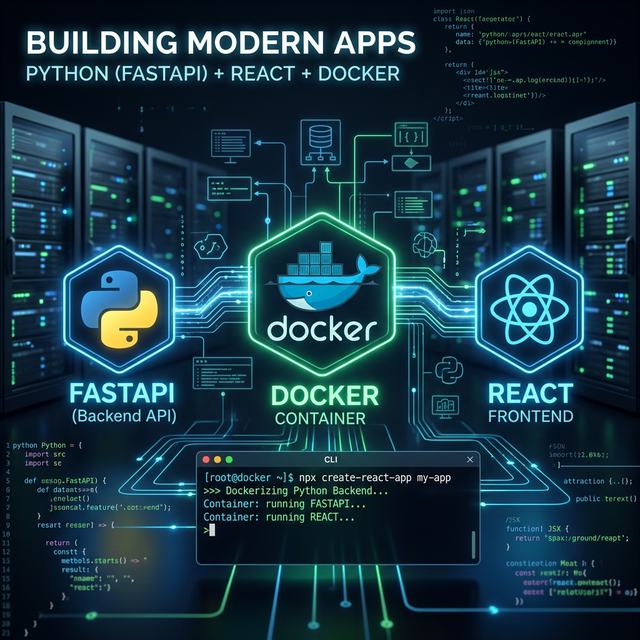
1. The Boilerplate Problem
Every time I start a new SaaS project, I waste hours on the same initial setup: scaffolding the backend framework, configuring the frontend bundler, wiring up a database, writing Dockerfiles, and dealing with CORS issues.
Setting up a full-stack architecture requires:
- A backend framework (routing, middleware, ORM)
- A frontend framework (bundling, components, API client)
- A database and schema migrations
- Docker orchestration to tie them together
This repetitive work slows down development. Instead of building features, you’re debugging docker-compose.yml networks.
2. Using create-fastapi-react-saas
To solve this, I built create-fastapi-react-saas. It’s an NPM package that instantly generates a full-stack, production-ready SaaS template.
To scaffold a fresh project, run:
1
2
3
4
npx create-fastapi-react-saas myapp
cd myapp
cp .env.example .env
docker compose up --build
This spins up an aggressively optimized, containerized environment. The frontend is accessible at http://localhost:5173, seamlessly proxying API requests to the FastAPI backend at port 8000 without CORS configurations.
Tech Stack
- Backend: FastAPI, SQLAlchemy, Alembic (Python 3.11)
- Frontend: React, Vite, TypeScript
- Infrastructure: Docker, Docker Compose, PostgreSQL
Feature Module Architecture
Instead of dumping all routes in one generic routes.py file and all database models in models.py, the backend uses a strict Domain-Driven Feature Module Architecture. This keeps the codebase modular and scalable.
1
2
3
4
5
6
7
modules/
  users/
    router.py      # API endpoints (FastAPI router)
    service.py     # Business logic layer
    repository.py  # Raw database queries (SQLAlchemy)
    models.py      # DB schemas (SQLAlchemy)
    schemas.py     # DTOs / input validation (Pydantic)
3. How to Build Your Own Template CLI
If you want to build a similar generator for your own preferred stack, it is surprisingly simple. You don’t need a massive framework—just Node.js, a template/ directory, and a basic script.
Here is exactly how I built the create-fastapi-react-saas CLI.
Step 1: The Project Structure
Create an NPM project with two main folders: cli/ for the Javascript executable and template/ for the actual boilerplate code.
1
2
3
4
5
6
my-cli-generator/
  package.json
  cli/
    index.js
  template/
    (your boilerplate code goes here)
In your package.json, tell NPM that cli/index.js is an executable binary using the bin field:
1
2
3
4
5
6
7
8
9
10
{
  "name": "create-my-custom-stack",
  "version": "1.0.0",
  "bin": {
    "create-my-custom-stack": "cli/index.js"
  },
  "dependencies": {
    "fs-extra": "^11.0.0"
  }
}
Step 2: The CLI Script (cli/index.js)
The CLI script only needs to do three operations:
- Capture the target project name from the user.
- Copy the
template/folder recursively to the new destination. - Replace hardcoded template names with the user’s project name.
Here is the core logic using fs-extra:
1
2
3
4
5
6
7
8
9
10
11
12
13
14
15
16
17
18
19
20
21
22
23
24
25
26
27
28
29
30
31
32
33
34
35
36
37
38
39
#!/usr/bin/env node
const fs = require('fs-extra');
const path = require('path');
const { execSync } = require('child_process');

async function generate() {
  const projectName = process.argv[2];
  if (!projectName) {
    console.error('Please specify a project name.');
    process.exit(1);
  }

  const targetDir = path.resolve(process.cwd(), projectName);
  const templateDir = path.resolve(__dirname, '../template');

  // 1. Copy the template folder recursively
  await fs.copy(templateDir, targetDir);

  // 2. Dynamically replace strings in key files via Regex
  const filesToUpdate = ['package.json', 'README.md', 'docker-compose.yml'];

  for (const file of filesToUpdate) {
    const filePath = path.join(targetDir, file);
    if (fs.existsSync(filePath)) {
      let content = await fs.readFile(filePath, 'utf8');
      content = content.replace(/YOUR_TEMPLATE_NAME/g, projectName);
      await fs.writeFile(filePath, content, 'utf8');
    }
  }

  // 3. Initialize Git Repository
  execSync('git init', { cwd: targetDir });
  execSync('git add .', { cwd: targetDir });
  execSync('git commit -m "Initial commit ✨"', { cwd: targetDir });

  console.log(`Success! cd ${projectName} to get started.`);
}

generate();
Step 3: Publish to NPM
Add an .npmignore file to ensure you don’t accidentally publish local node_modules inside the tarball. Then, simply execute:
1
2
npm login
npm publish
Once successfully published, anyone can run your npx command to automatically download and execute your package script from the global registry.
4. Conclusion
Building your own CLI template is one of the highest-leverage tasks you can do for your personal workflow. If you build web apps frequently, grouping your ideal stack into an NPX executable is a game-changer.
If my architecture matches yours, skip the setup completely and try out my template: NPM: create-fastapi-react-saas
Contributions and architectural pull requests from the community are always welcome. Happy hacking!